

Here is how to select your microphone and speaker on a Mac desktop.
First, close ARealm.
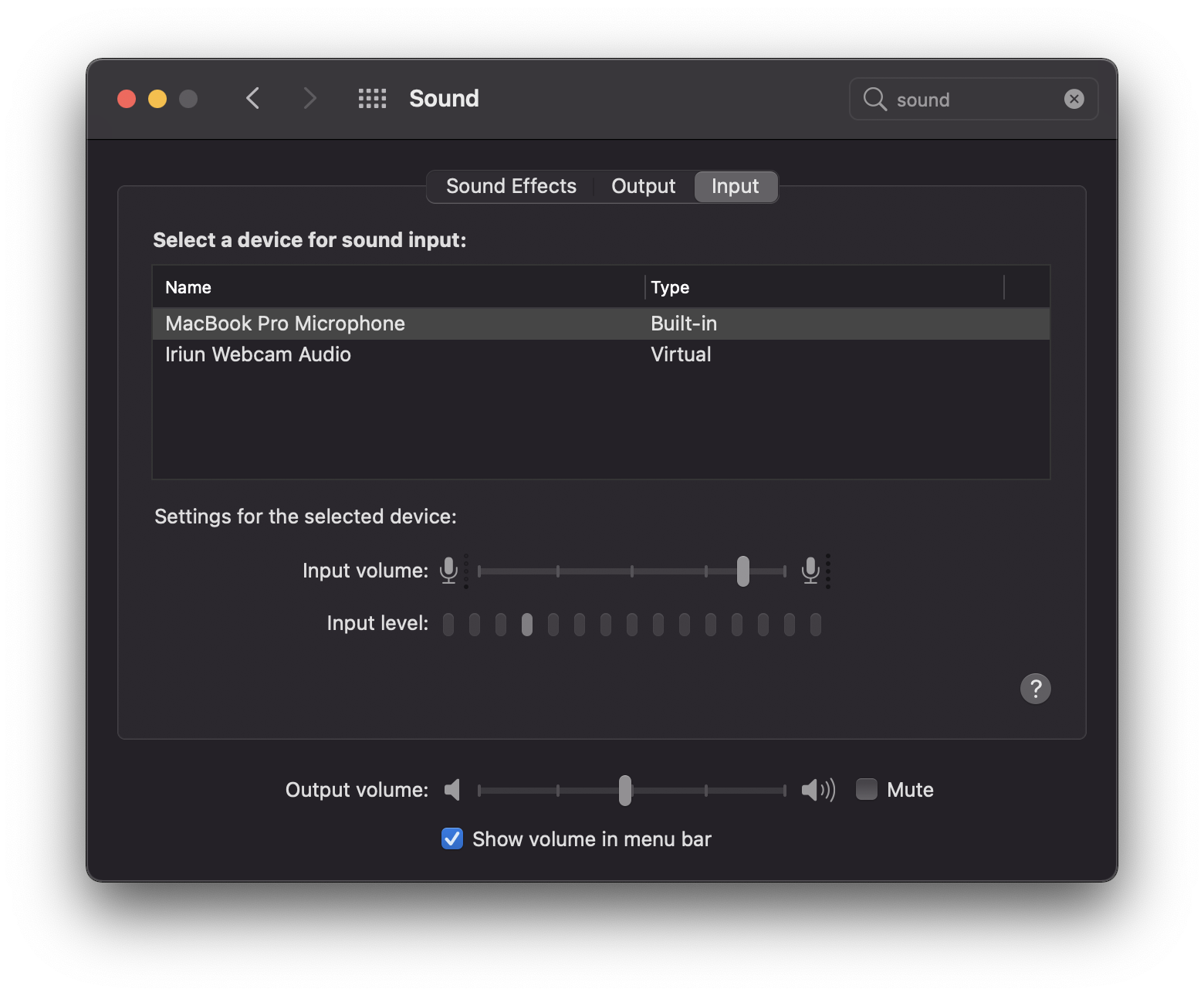
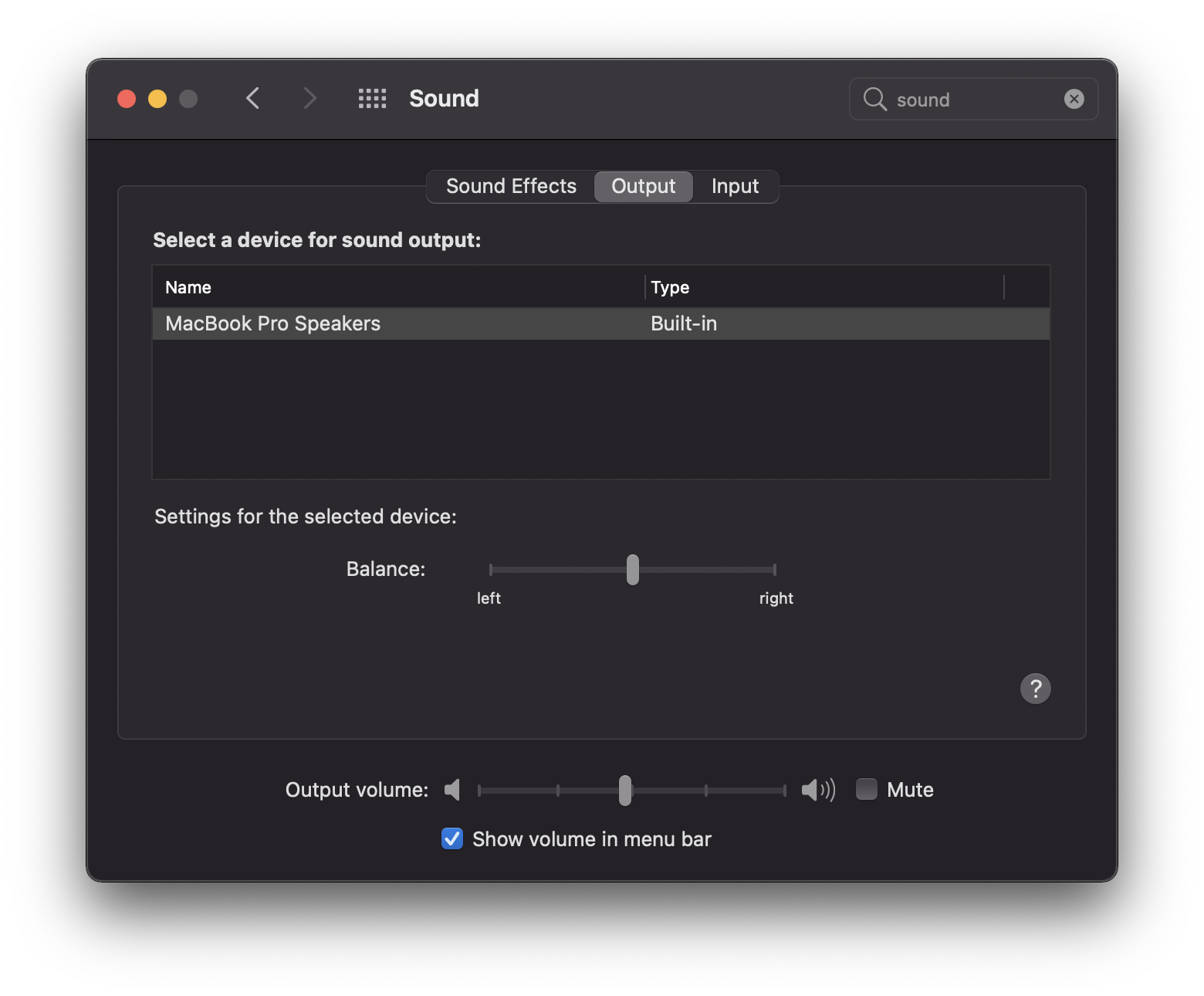
Go to System Preferences -> Sound
To change you microphone, go to the ‘Input’ tab and select the microphone you wish to use.
To change your speakers, select the ‘Output’ tab, and select the speaker you wish to use.
Relaunch ARealm and you are all set!