

How do I change the microphone / speaker (Windows)?
First, close ARealm.
The system uses the default microphone/speaker currently. In windows this is the device set as “Default Communication Device”. (Control Panel -> Sound -> Choose “Recording devices” for Microphone or “Playback devices” for speaker ->Right click on the device you want to use -> choose Default Communication Device)
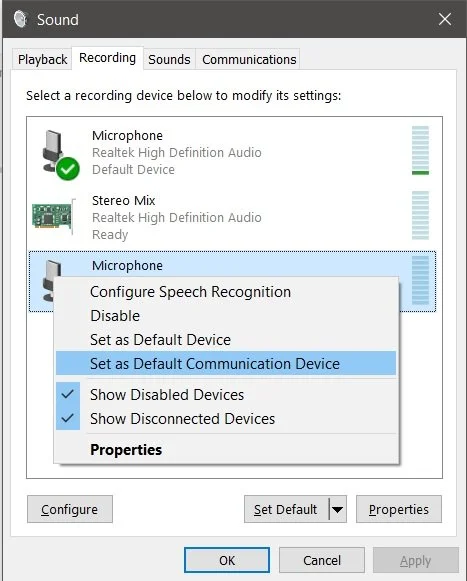
Relaunch ARealm and you are all set!